


Every once in a while, we go digging through usage data to see which parts of Zeplin people actually lean on. Annotations are always near the top, but this time, one thing stood out: how many of them were accessibility annotations.
Heading levels, alt text, focus order — written out by hand, screen by screen. We thought OK, let's see how we can help, so we pinged a bunch of those teams and got on some calls.
The flow was almost always the same. There's a guidance doc somewhere, written by whoever owns accessibility on the team or by the Design Ops person. Designers refer to it while prepping screens for devs, then type their own version of it into Zeplin. Screen after screen.
The copy-paste madness.
Then the template idea kicked in: introducing Annotation Templates
I'm really excited to announce that starting today, you can save annotation templates in Zeplin. Accessibility is what got us here, but templates work with any annotation type, and we think a lot of teams will find their own use for them.
Let’s dive in!
Accessibility annotations, out of the box
We figured we'd take the first pass for you. Zeplin now comes with a set of built-in accessibility annotation templates:
There are nine of them, one for each element you'd usually need to annotate: Heading, Image, Icon, Button, Link, Form field, Dialog, Landmark and Live region.
Pick one while you're adding an annotation and the structure is already there — fill in the blanks for your screen and you're done. Here's Form field:
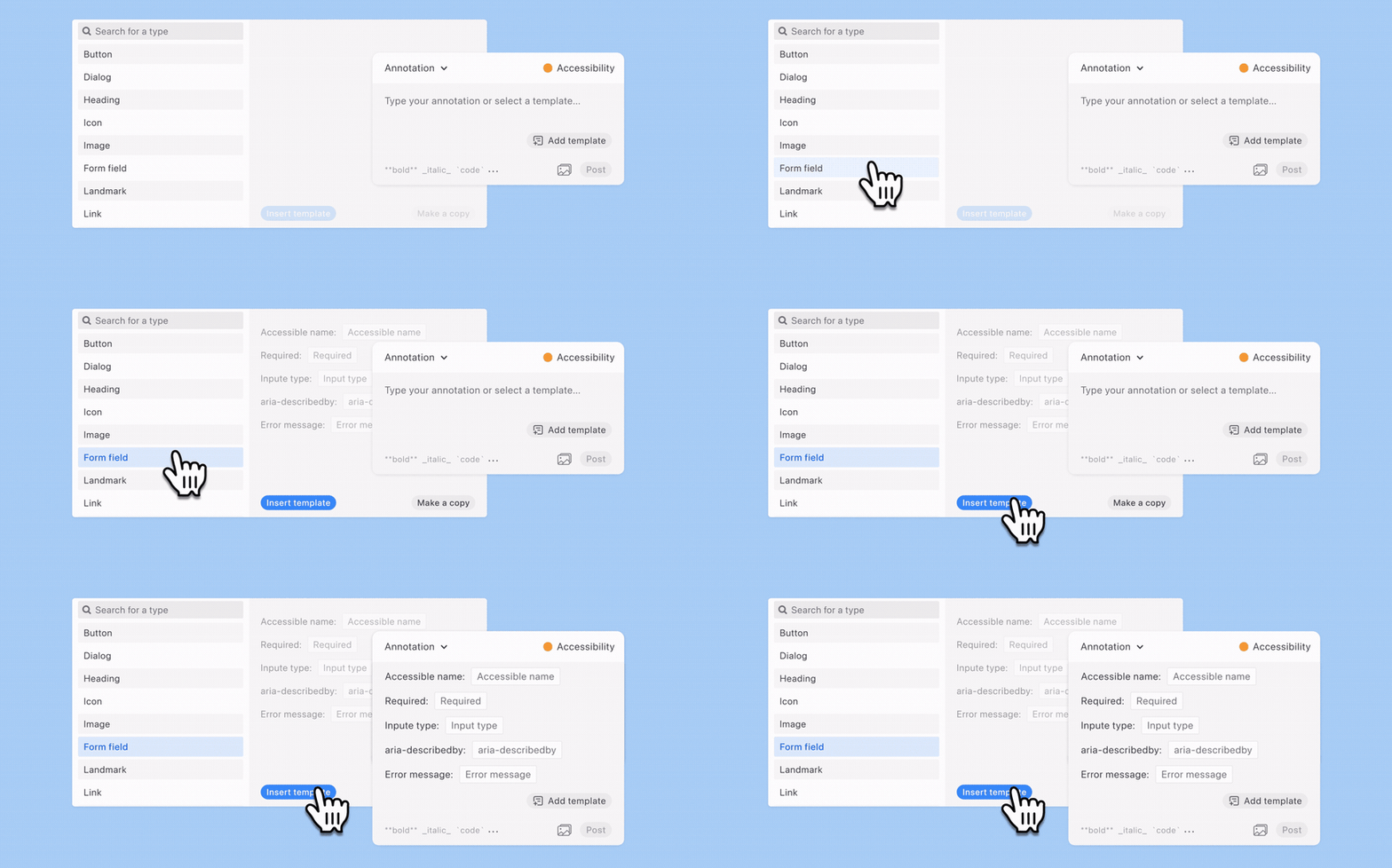
If your team is just starting to document accessibility, the templates can do some of the guidance work for you. No blank page, and no figuring out the fields yourself — a lot of teams gave input on what should be in these.
If your accessibility standards already go beyond ours though, no worries. You can save your own templates from scratch, or edit any of the built-in ones. Templates live at the workspace level, so once someone on the team saves one, everyone has it.
Save your own template for any annotation type
Accessibility got us here, but templates come in handy for other annotation types too. You can save your own template for any type — Requirement, Behavior, API, or a custom type your team created.
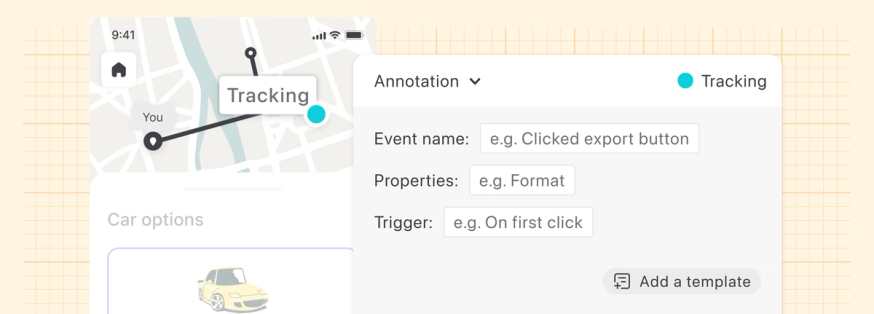
Say your team documents tracking events. A template for that could look like:
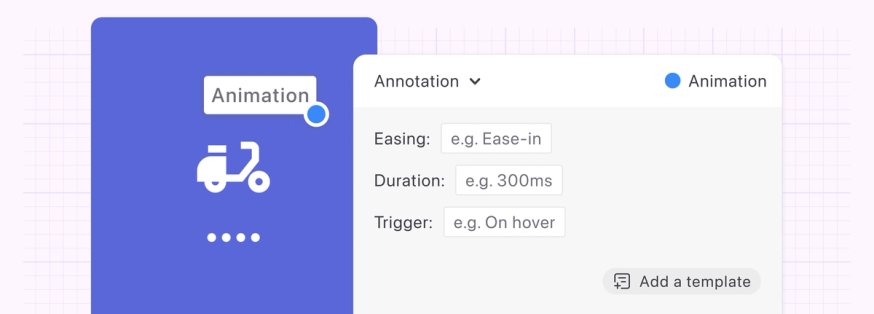
Or animations:
Same goes for anything else your team writes over and over. Save it once, then pick it from the list next time.
You can also pair this with Custom Annotation Types, which we released late last year. For anything Zeplin doesn't offer as a type, create your own — then save templates for it.
☝️ Annotation templates are available on all plans that include a workspace.
We’d love to hear what you think! We’re pretty active on Discord, but if you prefer email, you can also reach us at support@zeplin.io.
Until next time — またね!🍦
