


In late 2025, we released two AI features in beta: AI Design Review and AI Organization. Both were born out of our internal AI hackathon, and we had so much fun building them.
They both have been in public beta, and the feedback we've received from the community has been incredible. Your insights helped us refine and improve these features during the beta.
Today, we have two major pieces of news. We’re excited to announce that we are officially removing the beta tag after a ton of improvements. Plus, we're serving up a new feature as the main course: Custom categories for AI Design Review.
Let’s dive in.
The new thing: Custom Categories for AI Design Review
AI Design Review in Zeplin is fundamentally different than how reviews are done in design tools. It’s more tactical, focusing on the details that matter right before sharing designs with devs. It targets the immediate questions handoff teams face: Did you use an existing design system component? Are your designs accessible? Did you follow your spacing tokens? We believe these are the exact guardrails you care about most during handoff.
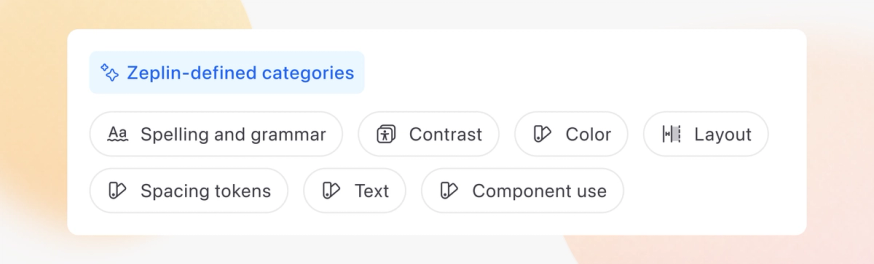
Up until now, Zeplin has offered 7 distinct categories for these reviews:
- Spelling and grammar: Grammar issues, typos, inconsistent casing.
- Layout: Alignment issues or inconsistent positioning.
- Accessibility: Color contrast issues(AA or AAA).
- Color, text style, spacing token, and component usage
During the beta, however, we realized that every product team has a unique checklist. Some care deeply about localization, others focus strictly on brand voice and tone. Each of these made us think: how do we make the feature more flexible, so that teams can run their own tailored reviews?
This led us to Custom Categories.
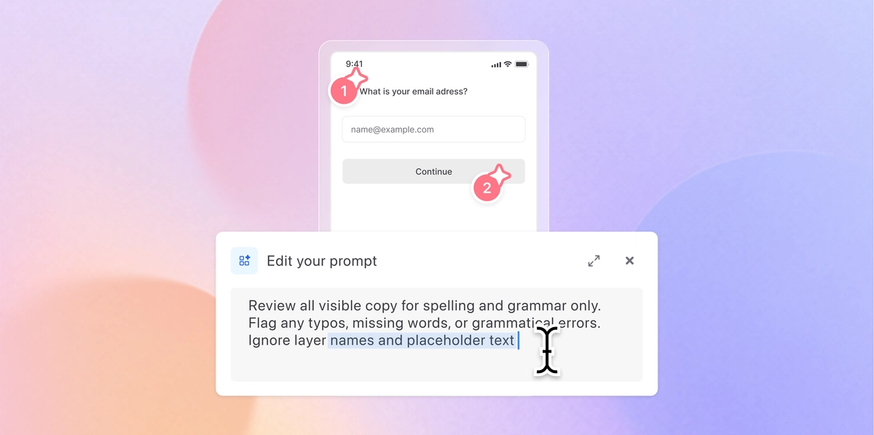
Custom categories let you write your own prompt, create a category and review designs with it in mind. You can continuously tweak and improve your prompt based on the results you see. For example, at Zeplin, we have specific voice and tone guidelines for UI copy. We can input that guideline document directly as a prompt, create a new category, and automatically review new designs against our specific brand rules.
Visibility matters
Design teams usually have common practices they follow. But it’s also common that individual designers have their own topics that they care about, before presenting their work to their leads, clients or devs.
To support both workflows, you can create custom AI Design Review categories with two levels of visibility:
- Visible to the entire workspace
- Visible only to you
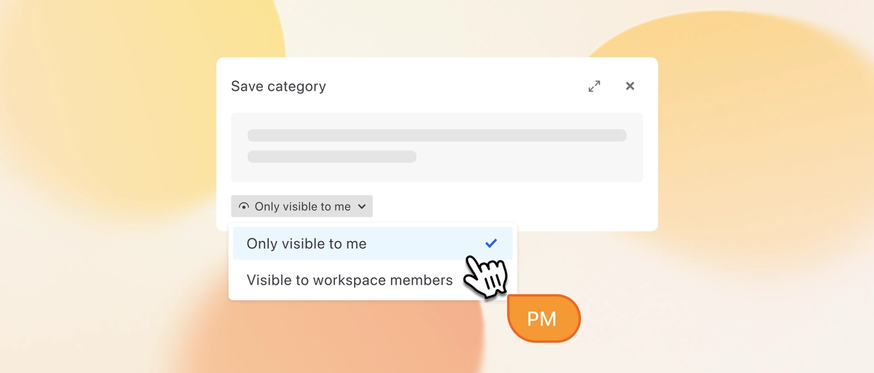
☝️ Custom Categories are available on all plans. Workspace-wide visibility selection is available only in plans that support workspaces (Advanced, Enterprise, and deprecated Team/Organization plans).
A ton of improvements while moving out of beta
And yes, we not only added a new feature but also improved the existing AI features a ton.
We upgraded the AI models: This almost felt like we’re rebuilding the feature — we had to spend a long time tweaking and re-testing existing features. But good news: Both AI Organization and AI Design Review are now significantly smarter and more contextual.
Smarter AI Design Review: You’ll notice faster spelling and grammar checks, much more accurate design system mapping, and far fewer "false alarms" on layout alignments. We did our best to train the AI models to better understand the difference between an intentional design choice and an actual mistake, making the automated comments much more meaningful.
Better, flexible AI Organization: We’ve given the AI a bit more breathing room. The previous version followed design file hierarchies so strictly that if a file was messy, the organization became messy, too. The updated model is much better at interpreting the structure and the names and making the automated cleanup in Zeplin way more seamless.
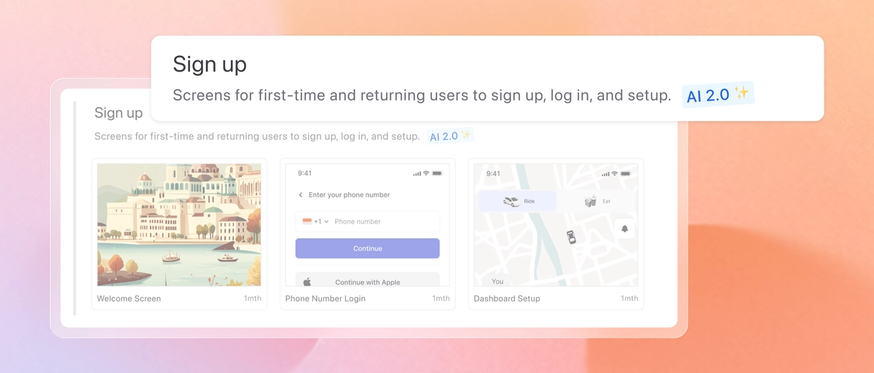
Polished section descriptions: In the beta release, we didn’t focus too much on the section descriptions. Thanks to your feedback, we improved them as well. AI now generates smarter, clearer, and less repetitive descriptions for the screens contained within a section.
Ready to keep iterating.
Building and refining these features alongside you has been an amazing ride. Check out the updates in your workspace today, and let us know what you want us to focus on next. We’re all ears!
